A guy brought in his truck last week and said the farm's newest tractor had been sitting for three days because nobody knew when the service was due. The engine was fine; the paperwork was not. That is where agricultural fleet management software earns its keep. Instead of relying on a glovebox notebook, a whiteboard, or somebody's memory, a farm can see which pickup, tractor, trailer, sprayer, or UTV needs attention and who is using it.
I run a family repair shop in San Antonio, and I also keep equipment working on a small cattle property outside town. The right system will not replace a good mechanic, but it can prevent missed oil changes, lost fuel receipts, and expensive downtime during planting or harvest. Here is what I would look for before spending the operation's money.
What agricultural fleet management software should track
Start with the equipment list. A useful platform should let you create a record for every diesel truck, compact tractor, combine, mower, ATV, UTV, trailer, and attachment. Record the make, model, serial number, engine hours, mileage, purchase date, tire size, warranty details, and current location. A John Deere 5075E, Ford F-250, and Polaris Ranger do not need the same maintenance schedule, so generic reminders are not enough.
The most valuable feature is usually service tracking. Set reminders by calendar date, mileage, or engine hours for oil and filter changes, hydraulic fluid checks, coolant testing, grease points, belt inspection, and seasonal storage. The software should keep invoices and notes with the asset record. When a tractor comes into my shop, a clear history saves diagnostic time. It can also show whether a repeated problem is a bad repair, hard use, or simply an overdue service.
Fuel records matter too. A simple entry for gallons, price, equipment, and operating hours can uncover a machine that is burning more fuel than usual. GPS tracking can add location, route, idle time, and geofence alerts, but not every small ranch needs that expense. If the main problem is forgotten maintenance, start there instead of buying every available feature.
Shop Trick: My grandfather taught me this trick — still works 40 years later. Put the next service interval on the equipment itself with a paint marker, then back it up in your digital record. A sticker or handwritten note is not a complete system, but it can save an engine when a phone battery is dead or the signal disappears.

Why farms benefit from a central equipment record
Farm equipment does not wait for a convenient repair appointment. A failed water-pump tractor in July, a dead feed-hauling truck in January, or a UTV with a worn brake line can interrupt the whole property. Agricultural fleet management software gives an owner one place to see open work orders, parts needed, and equipment that is ready to return to service.
That visibility is especially useful when several people share vehicles. A driver can report a warning light, tire problem, hydraulic leak, or strange vibration from a phone. The manager can assign the issue to an employee, outside shop, or dealership and attach a photo. Nobody has to wonder whether the problem was reported or whether somebody promised to handle it.
It also helps with replacement decisions. Compare annual repair costs, fuel use, downtime, and hours worked. A 20-year-old tractor with a $3,500 transmission repair is not automatically a bad investment if it is reliable and paid off. On the other hand, a newer machine with repeated electrical failures may be costing more than its payment suggests. Good records turn that argument into a useful conversation.
There is an insurance benefit as well. Accurate vehicle lists, driver assignments, mileage, and maintenance documentation can make conversations with a commercial auto or farm insurer more organized. Do not assume software guarantees a lower premium, but clean records can support safer fleet practices and faster answers when an adjuster asks for details after a loss.
Choosing agricultural fleet management software for a small operation
Do not buy based on a glossy demo alone. Ask whether the platform works offline, because rural coverage can be inconsistent. Check how easily a worker can enter a service note from a dusty phone screen. Ask whether it supports engine hours as well as miles, exports data to a spreadsheet, and allows different permission levels for an owner, manager, driver, and mechanic.
Pricing commonly ranges from a basic free or low-cost plan for a handful of assets to roughly $50 or more per vehicle each month for advanced tracking, dispatch, telematics, and reporting. A ranch with six machines may need only maintenance records and reminders. A hay operation with twenty trucks, seasonal workers, and several fields may justify GPS, electronic inspections, and fuel integration. Test the system with real records before committing to an annual contract.
Agricultural fleet management software should also connect cleanly with the tools you already use. If payroll lives in QuickBooks, ask about exports. If the dealership provides telematics data for a tractor, see whether it can be imported rather than typed twice. No software is helpful when employees spend half a morning fighting the interface.
A practical trial uses one pickup and one tractor for 30 days. Enter every service event, fuel purchase, fault report, and assignment. Then ask three questions: Did anyone actually use it? Did it prevent a missed task? Did it save enough time or repair risk to justify the price? Honest answers are better than a long feature list.
A maintenance workflow that works in the real world
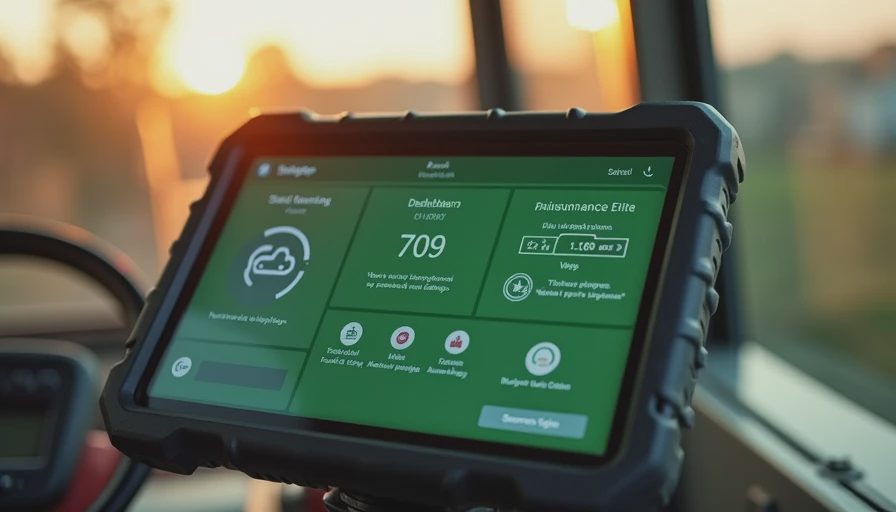
On Monday morning, review the dashboard for services due in the next 30 days. Assign each job to an employee, mobile mechanic, dealership, or independent shop. Before work begins, note the complaint and current hours. Afterward, enter the parts, labor, fluid quantities, invoice number, and next due date. Attach photos when a damaged belt, tire, hose, or connector explains the repair.
For safety-critical work, use a second-person check. Brakes, steering, PTO shields, trailer connections, and hydraulic leaks deserve more than a quick tap on a completed box. Shut equipment down, remove the key, block wheels, and release stored hydraulic pressure according to the manufacturer's procedure. Never climb beneath unsupported equipment. If you are not sure, take it to a pro. No shame in that.
At the end of each month, review downtime and recurring faults. If the same UTV keeps losing a battery, look for parasitic drain, loose terminals, or a storage problem instead of repeatedly installing batteries. If one truck's tires wear unevenly, schedule an alignment inspection. Software points to the pattern; a qualified mechanic finds the cause.
Common mistakes that waste money
The first mistake is entering only the expensive machines. A ranch pickup, livestock trailer, and utility vehicle can create just as much trouble when neglected. The second is ignoring attachments. Mower decks, balers, pumps, and sprayers have bearings, belts, gearboxes, and lubrication points that deserve their own service notes.
Another mistake is assigning every repair to one person without a backup. When that employee is sick or leaves, the history disappears with them. Use shared records and write notes that another mechanic can understand. “Fixed noise” is weak documentation; “replaced right rear wheel bearing at 1,842 hours, torqued lug nuts, road-tested” is useful.
Do not let GPS become a substitute for judgment. Location data can show where a truck went, but it cannot tell you whether a driver felt a brake pedal go soft or whether a tractor was operated with low hydraulic fluid. Human inspections and clear reporting still matter.
The smart way to get started
Make a complete equipment list, photograph identification plates, and gather the last two years of invoices. Choose one person to maintain the records and one backup. Start with service reminders, inspections, fuel entries, and repair history. Add GPS or driver behavior tools only after the basic information is accurate.
For a small farm, agricultural fleet management software should feel like a well-labeled toolbox: quick to open, easy to understand, and useful when something breaks after dark. Spend on the problems you actually have, train the people who will use it, and connect the records to a maintenance plan. My grandfather taught me this trick — still works 40 years later: prevention is almost always cheaper than pulling a machine out of a muddy field after it quits.